AI Anxiety for Knowledge Workers: Burnout & Mental Health
“My coworker used AI to do in two hours what used to take me all day. Seeing that Slack update left me drained. If that sounds familiar, this article is for you.”
Who this article is for: knowledge workers who use AI tools every day. That includes engineers, product managers, designers, marketers, HR, support, finance, students, and more. Engineer-specific scenarios such as PRs, code review, and on-call are placed in separate gray callouts or role tables so you can skip around as needed.
TL;DR: Three Things You Can Do Tonight
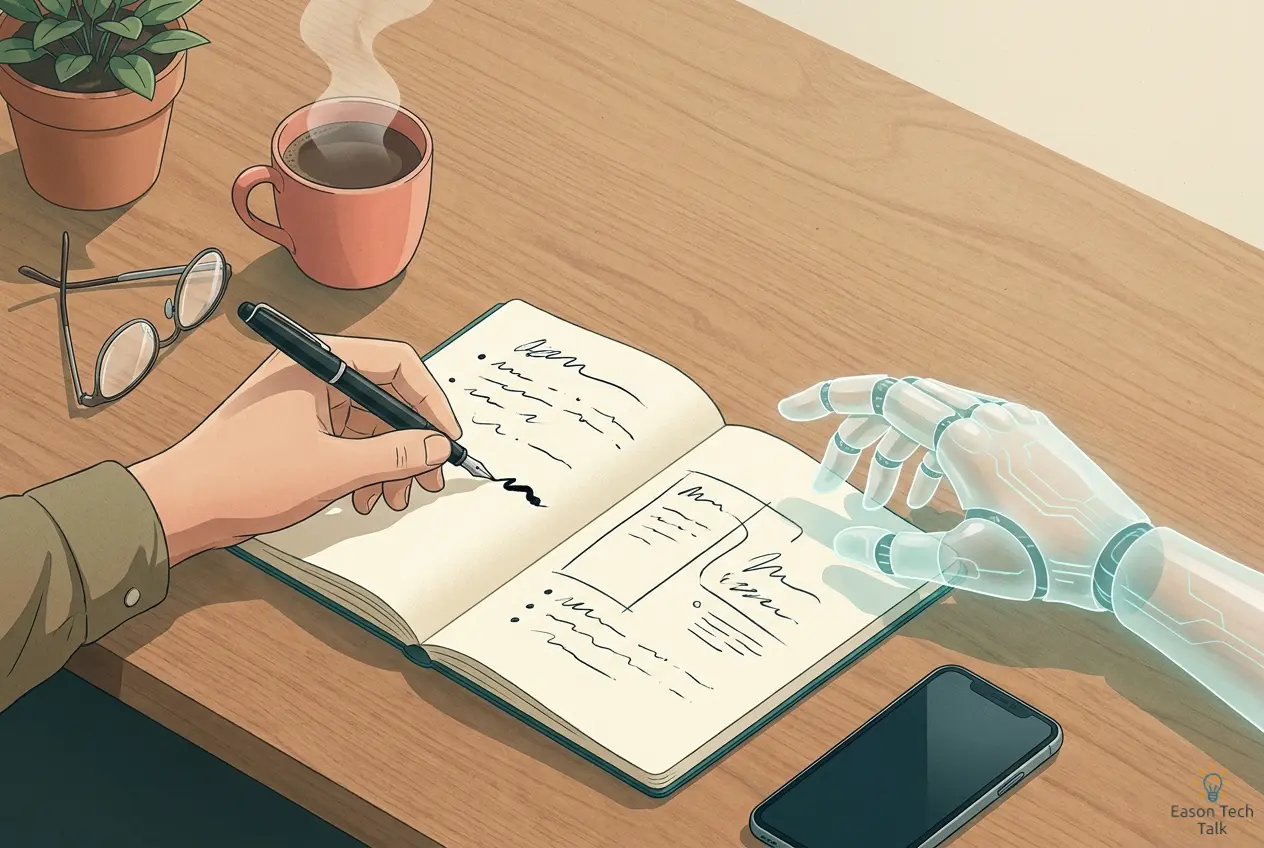
- Reserve 60-90 minutes a day for no-AI thinking time: this is not anti-AI. It keeps your judgment from atrophying. Use paper and pen to design, think through direction, or read deeply.
- Split up AI drafts before you hand them off: code, slides, proposals, and copy all benefit. Personal speedup is not team throughput. The bottleneck is usually how long it takes the next person to understand and modify the output.
- Build a brag doc and an emergency fund: layoff logic is increasingly driven by measurable contribution. Write three lines each month about what you did and what changed, and keep 6-12 months of living expenses ready.
Why This Anxiety Is Rational
Over the past two years, ChatGPT, Copilot, Gemini, Claude, Cursor, and a growing number of AI agents - AI assistants that can autonomously execute multiple steps in sequence - have flooded everyday work. Stack Overflow’s 2025 annual survey found that 84% of respondents were already using or planning to use AI tools, yet the share who said they trusted AI output fell to 29% in 2025.1 2
In other words: most people are using AI while not fully trusting it. Being pushed around all day by a tool you only half believe in is what work feels like right now.
Microsoft x LinkedIn’s Work Trend Index surveyed 31,000 knowledge workers and found that 75% were already using GenAI, 78% were bringing their own AI tools to work, yet 68% said the pace of work was unsustainable and 46% felt burnout.34 (The 46% burnout figure comes mainly from Microsoft’s follow-up study The Infinite Workday.)
Upwork’s research points the same way: 77% of AI users said AI increased their workload in 2024, and in 2025 88% of the most productivity-boosted workers also reported burnout and were twice as likely to consider quitting.56
The American Psychological Association’s 2025 Stress in America report also shows that stress about AI rose sharply within one year: among ages 18-34, from 52% to 65%; among ages 35-44, from 52% to 59%; and among employed adults, from 51% to 60%.7
1.1 The Productivity Paradox
The productivity paradox is simple: a tool that should make work faster is introduced, yet total output does not rise accordingly and people feel more tired. In a 2025 randomized controlled trial on experienced open-source developers, METR (Model Evaluation & Threat Research) found:8
- Developers expected AI to make them 24% faster
- After using it, they felt 20% faster
- But objective timing showed they were 19% slower
That 40-point gap is the real source of anxiety: everything looks smoother, but the work actually slows down. The time goes into a few familiar buckets:
- Debugging AI-generated edge cases: the output works in common situations, but unusual inputs and boundary conditions break it, and those bugs are not obvious at first glance.
- Reading and understanding logic you did not write yourself: code you wrote already has context in your head. AI-written code has to be understood and trusted from scratch, which can be slower than rewriting it.
- Frequent context switching: talking to the AI, reading code or docs, and evaluating what the model is saying all at once carries a mental overhead that is easy to underestimate.
You use AI for a small refactor that looks simple and estimate it will take 30 minutes. Three hours later, you realize two of those hours went into reviewing the output, filling in missed edge cases, and sending it back for another round. If you had written it yourself, it likely would have taken 40 minutes. In the moment, it never feels like AI is wasting time because every prompt seems to be moving forward. (METR reran the study in early 2026 with newer models, but it has not overturned the original conclusion that AI slowed developers down.9)
The pattern is even clearer at team scale. Faros AI, an engineering analytics platform that aggregates git, Jira, and CI data from multiple companies, analyzed 1,255 teams and more than 10,000 engineers: individual task completion was up 21%, commit volume was up 98%, but time spent waiting for someone else to review work jumped 91%. The time saved by individuals was almost entirely consumed by the next review gate, so team-level delivery barely changed.10
Individual coding may be faster, but organizational delivery is not accelerating in lockstep. The missing time becomes the stuff you keep fixing after work, the problems you keep chasing, and the fatigue that never really leaves.
The same pattern likely appears in other fields: designers use AI to generate ten versions and wait for a manager to choose, marketers use AI to draft twenty headlines and wait for approval, product managers use AI to write docs and wait for stakeholder review, and support teams use AI to draft replies but still have to verify every word. The bottleneck is not “thinking of the idea”; it is how long it takes the next human to understand it, trust it, and edit it.
1.2 Technostress and Burnout
The term technostress was introduced in 1984 to describe the stress, anxiety, and mental-health problems that come from continuously adapting to new information technology.
- In 2012, Riedl and colleagues found that when subjects were using a computer for a task and the computer suddenly froze, the program locked up, or the page failed to load, their stress hormone cortisol spiked noticeably.11 The same reaction shows up today when an agent stalls halfway through, Claude or ChatGPT goes offline, or minutes of conversation history disappear with one click.
- A 2020 review in Current Opinion in Psychiatry linked technostress with sleep disruption, anxiety, reduced attention, and workplace burnout.12
In January 2026, JAMA Network Open analyzed 20,847 U.S. adults and found that daily generative AI users had 30% higher odds of moderate depressive symptoms. Anxiety and irritability showed similar associations, and the effect was more pronounced in the 25-64 age group.13
(Note: this is an observational study, so it does not prove that AI causes depression. But the pattern is similar to what research on social media has found, and it is enough to make us pay attention to how these tools affect mental health.)
1.3 Layoff Fear Is Real
2025 was the year when “AI directly caused layoffs” became mainstream:
- U.S. layoff tracker Challenger, Gray & Christmas estimated that about 55,000 U.S. job cuts were directly attributed to AI, roughly 12 times the figure from two years earlier.14
- Layoffs.fyi reported that the tech industry cut about 153,000 jobs in 2024, then another 123,000 in 2025.15
Microsoft, Amazon, and Meta all paired AI investment with major workforce cuts or restructuring. Microsoft’s 2026 VRP alone targeted about 8,750 senior U.S. employees; Amazon cut about 30,000 roles, and Meta planned about 8,000 cuts.16 In other words, people were not being replaced by AI alone; they were being squeezed out by AI plus reallocated budgets.
Employee anxiety is already showing up in surveys: in 2025, Pew Research polled 5,273 workers in the U.S. and found that 52% were worried about AI’s impact on work, and 32% believed AI would reduce their long-term job opportunities.17 A March 2026 survey from Jobs for the Future (JFF) was even more direct: 44% said AI does more harm than good for society, only 39% were optimistic, and only 36% of workers said they had the training and resources they need to use AI in their jobs.18
The other side of the data tells a different story:
- The Microsoft Work Trend Index says 66% of managers would not hire someone without AI skills, and 71% would choose a less experienced candidate who can use AI.3
- LinkedIn Economic Graph’s January 2026 Labor Market Report estimates that the AI wave has created about 1.3 million new high-skill roles worldwide, including Data Annotator, AI Forensic Analyst, Head of AI, Forward-Deployed Engineer/PM, and AI Engineer.19
- A 2025 study from Stanford’s Digital Economy Lab / Brynjolfsson team found that in high-AI-exposure occupations - jobs whose tasks can be largely replaced or assisted by AI - employment for entry-level developers and customer-support workers ages 22-25 fell 6-16% from the end of 2022 onward.20
Maybe the real concern is not the doomsday story of “AI replacing humans,” but “the coworker who uses AI well replacing you.” The second scenario is much easier to change through skill accumulation.
What You Can Do
2.1 One Thing You Can Do Tonight
- Put all your AI tools into one folder on your phone and laptop: do not leave them scattered across the desktop and browser tabs. Make opening them a deliberate act.
- Do not open AI for the first 60 minutes tomorrow morning: write down today’s three priorities on paper and try it for a week.
- Write down what you would do in the first seven days if you were laid off tomorrow: it does not have to be detailed. Just listing contacts and your financial position will already reduce anxiety.
2.2 At the Personal Level
| Focus | Why it matters | What to do |
|---|---|---|
| AI boundary time | Large-language-model interfaces are designed to maximize time spent, much like social media’s infinite scroll. The longer judgment is outsourced, the faster your intuition in your own domain atrophies.21 | Keep 60-90 minutes each day for paper, pen, or native tools only. No AI. Use that time to design, think through direction, or read deeply. Related reading: Deep Work for Engineers. |
| Use AI with intention | METR’s experiment: 20% faster in self-perception, 19% slower in reality. Speed is not reliable if you judge it by feel alone.8 | Before opening a prompt, write one sentence: “What do I want from this interaction?” If there is no progress after three rounds on the same task, stop. Review weekly which AI uses actually saved time. |
| Protect the basics | Sleep, exercise, and social connection are the main mediators between technostress and burnout.22 | Sleep at least 7 hours on weeknights, with regularity mattering more than duration; get 150 minutes of moderate-intensity exercise each week. |
2.3 At Work
Whether you are an engineer, product manager, designer, or marketer, the pattern observed by Faros AI - people moving faster while the team gets stuck in human review - and the studies from UC Berkeley’s California Management Review and the emotional-intelligence research group Six Seconds23 24 point to the same conclusion: the more AI spreads, the more valuable cross-system judgment and human collaboration become.
| Area | What every knowledge worker can do |
|---|---|
| Delivery discipline Treat AI as a draft generator, not a final-product generator |
• Split AI output into smaller handoff pieces: a slide deck into three chunks, a proposal into two key pages, a code change into smaller commits • Add a one-line “why this choice” note to key AI-generated sections • Before sending it out, ask: “How would I explain this to a friend who does not know the field?” If you cannot explain it clearly, it is not ready |
| Build your moat Capabilities AI still struggles with |
• Cross-system causal analysis: connect multiple data sources to find the root cause, not just one dashboard • Turning fuzzy requirements into design: two sentences from a boss or customer become a concrete plan with timeline, risk, and exit criteria • Cross-role collaboration: when something goes wrong, you can run the meeting, write external communication, align internal expectations, and close the loop afterward • Judgment and tradeoffs: privacy, cost, and compliance decisions are not template exercises |
| Make your contribution visible So you can be found |
• Write a monthly brag doc in the format “event -> action -> quantified result,” e.g. support tickets fell from 5 per week to 1 per month, or handling time dropped from 3 days to 4 hours • Publish one externally visible artifact each quarter: a workshop, a social post, or an internal talk • Update LinkedIn or your resume every quarter |
Concrete Advice by Role
The problems you face every day are different, so the implementation should be different too.
| Role | AI usage boundary | Fighting the productivity paradox | Moat in the AI era |
|---|---|---|---|
| Product Manager | Do not feed raw interviews or transcripts to AI and accept the summary. Listen to 30 minutes of the original recording yourself first, then cross-check. | After using AI for a first draft of the PRD, still write clearly why you chose A over B. Do not let AI make the tradeoff for you. | User voice, cross-team trust, product judgment |
| Designer | Keep a daily block for pure hand sketching or Figma work with no AI; do not let all inspiration come from AI image libraries. | Do not chase “50 AI versions.” Use “3 AI versions, pick 1, then push it deeply.” | Cross-stakeholder collaboration, narrowing fuzzy requirements, brand-system thinking |
| Marketing / Content | Write the first 100-word hook yourself before letting AI draft. Do not let the model wash out your voice with average-style prose. | Use AI for A/B variants and SEO structure; strategy and brand positioning still need human judgment. | Sensitivity to customer language, long-term content brand, community relationships |
| Support / TSE (Technical Support Engineer) | Ask management to shift the KPI from “ticket volume” to “complex-case resolution rate” so emotional labor is protected. | After AI handles the simple issues, what remains for humans are harder and more emotional cases; structure frontline insights into a monthly report to fill product blind spots. | Turn escalation handling into teachable examples and build irreplaceability |
| Software Engineer (SWE) | Spend the first 90 minutes reading the module and design doc you need to change today. | Review AI-submitted changes line by line; split AI PRs larger than 300 lines. | Build a list of critical subsystems you know well; write RFCs and run brown-bags regularly. |
| SRE / Platform | During incidents, do not let AI touch production directly; first have AI explain the signal, then let a human run the playbook. Related reading: On-call Anxiety Guide | Reliability, capacity planning, cost governance, and security compliance are still hard for AI to automate in 2026. | Postmortems and externally shared incident stories help you build a long-term personal brand. |
For Tech Leads and Managers
Imagine a heavily AI-enabled team where one person quickly ships a draft: a code change that looks complete, a dozen design variations, or a stack of “this should be about right” copy. The sender feels productive, but the next person usually spends time filling in context, finding gaps, adding tests, and realigning with stakeholders. The time saved upfront gets paid back in understanding and correction. In practice, the bottleneck simply moves to the next human gate.
If you lead a team like that, setting norms up front works better than telling everyone to “use even more AI”:
- Set AI submission limits: define a clear maximum per deliverable, such as code <= 400 lines, slides <= 10 pages, or docs <= 2,000 words.
- Redefine what review is for: move code review and document review toward system logic, business correctness, and edge cases.
- Track team metrics, not just individual metrics: watch end-to-end cycle time, not just individual commit counts. If individual output spikes while cycle time slows down, you have found the bottleneck.
- Keep AI-free rituals: weekly design reviews, architecture discussions, and postmortems should intentionally avoid AI summaries.
- AI training is an employer responsibility: JFF found that only 36% of workers said they had the training and resources they need to use AI in their jobs, down from 45% in 2024.18

Closing Thoughts
AI makes everyone look faster and more productive, but it also makes comparison, anxiety, and self-doubt easier. At this stage, the pragmatic move is to separate the pressure into three categories:
- Tool-induced pressure (technostress): reduce exposure to continuous use and repeated failure.
- Process-induced pressure (bottleneck shifting): split AI output into smaller pieces and add context so the next person can pick it up more easily.
- Structural pressure (layoffs and market shifts): turn uncontrollable fear into controllable preparation.
When it feels like the AI wave is pushing you along, step back and reassess how the tools are affecting you so the pressure shifts from “out-of-control imagination” back to “controllable choices”:
- Exhaustion is not a personal willpower problem. It is a technostress response with physiological and environmental roots.22
- “Feeling faster” is not the same as “being faster,” and it certainly is not the same as “the company benefiting.”8 10
- Layoff risk is real, but people who use AI and can still make cross-domain judgments remain among the most in-demand workers in the market.3
AI tools will keep getting stronger, but your sleep, your judgment, and your relationships will not improve just because the model gets upgraded. They still need deliberate care. Everyone’s work environment, biological rhythm, and team culture are different, so not every recommendation here will fit every person. The goal here is to explain the mechanisms underneath the problem and help you find a way of working that fits you better in a fast-moving environment.
Disclaimer: This article is for general informational purposes only and does not constitute medical, psychological, or legal advice. If you are experiencing persistent anxiety, depression, or burnout symptoms, please seek professional support from a qualified therapist, psychiatrist, or employee assistance program (EAP).
References
-
Stack Overflow Blog. (2026). Closing the developer–AI trust gap. ↩
-
Stack Overflow. (2024). 2024 Developer Survey: AI. ↩
-
Microsoft & LinkedIn. (2024). 2024 Work Trend Index annual report: Executive summary. ↩ ↩2 ↩3
-
Microsoft WorkLab. (2025). Breaking down the infinite workday: Extended Work Trend Index analysis. ↩
-
Upwork Research Institute. (2024). Employee workloads rising despite increased C-suite focus on AI productivity. ↩
-
Upwork Research Institute. (2025). New insights on the AI-human work dynamic. ↩
-
American Psychological Association. (2025). Stress in America 2025. ↩
-
METR. (2025). Measuring the impact of early-2025 AI on experienced open-source developer productivity. ↩ ↩2 ↩3
-
METR. (2026). Uplift update: re-running the developer productivity study with newer models. ↩
-
Faros AI. (2025). The state of AI software engineering: Data from 1,255 teams. ↩ ↩2
-
Riedl, R. (2012). On the biology of technostress: Literature review and research agenda. Business & Information Systems Engineering. ↩
-
Berg-Beckhoff, G., Nielsen, G., & Larsen, E. L. (2020). Technostress at work and mental health: Concepts and research results. Current Opinion in Psychiatry, 33(4). ↩
-
JAMA Network Open. (2026). Daily generative AI use and depressive symptoms in U.S. adults. ↩
-
Challenger, Gray & Christmas data via CNBC. (2025). AI job cuts: Amazon, Microsoft and more cite AI for 2025 layoffs. ↩
-
Clarion Ledger. (2025). 276,000 tech workers lost jobs to AI-driven layoffs in 2024–2025. Data sourced from Layoffs.fyi. ↩
-
CNBC. (2026). 20K job cuts at Meta and Microsoft raise concern of AI labor crisis. ↩
-
Pew Research Center. (2025). U.S. workers are more worried than hopeful about future AI use in the workplace. ↩
-
Jobs for the Future. (2026). Worker anxiety over AI is growing and employers aren’t preparing employees for what’s next. ↩ ↩2
-
LinkedIn Economic Graph. (2026). Labor Market Report — Building a future of work that works (Jan 2026). ↩
-
Brynjolfsson, E., et al. ADP Research. (2025). Yes, AI is affecting employment: Here’s the data. ↩
-
DORA. (2024). Accelerate State of DevOps report 2024. ↩
-
Hennig, T., et al. (2024). Technostress, hair cortisol, low-grade inflammation, and burnout in hospital employees: A prospective study. Brain, Behavior, and Immunity. ↩ ↩2
-
California Management Review. (2025). Seven myths about AI and productivity: What the evidence really says. ↩
-
Six Seconds. (2025). AI + EI in the Workplace: Status report 2025. ↩