SkipYT: A BYOK YouTube AI Summary Tool
SkipYT is live today: a simple AI tool that turns a YouTube link into a structured summary and Q&A in seconds. It supports BYOK (Bring Your Own Key), defaults to English output, and is ready to use now: skipyt.com
Why I Built This
To be honest, this started as a tool for myself.
Every day I follow cloud talks, engineering sessions, Kubernetes content, AI infrastructure, KubeCon, re:Invent, and TED Talks. The list of sessions I want to watch can easily grow by 100 or 200 videos a week. Without a summary, I cannot realistically scan everything, and it is hard to tell which sessions deserve a full watch. Even after watching, it is not always obvious what the real takeaway was.
Over the last year, my workflow has become: paste a link, read the summary, then decide whether the full 40-minute video is worth my time. Once I got used to that flow, my ability to absorb and understand video content improved a lot.
So I decided to clean up the version I use every day and open it up to everyone.
What SkipYT Does
Paste a YouTube link, click Analyze, and within seconds you get a structured summary: a TL;DR, 5 to 10 key bullets, automatically segmented chapters, actionable takeaways, and quotable lines worth saving. It is easy to read and easy to scan for the important parts.
There is also a chat box underneath. If you want to go deeper after reading the summary, you can ask questions about the video directly, for example:
- “List every tool, paper, and link mentioned”
- “Rewrite this as an Instagram post”
- “How does this argument differ from XX’s viewpoint?”
Why It Supports BYOK
This is worth a short technical note, because it is the most important product decision behind SkipYT. BYOK means Bring Your Own Key. You bring your own AI API key, from Gemini, Anthropic, or OpenAI, and run the summaries on your own quota.
I know this sounds inconvenient to some people. “Why not just let me use it directly?” I thought about that a lot, and I still chose this path for one simple reason: the cost of free AI inference does not support a long-term free product.
If the tool had 20,000 users and each user generated a few summaries per month, the inference bill from Gemini or GPT alone would quickly exceed $1,000 a month. For an individual developer, that is no longer just a business question. It becomes, “Can my credit card keep up?”
BYOK removes that problem at the root. You pay for the tokens you consume inside your own AI account. I do not have to cover your usage, so there is no risk of burning through cash and being forced to shut the service down.
A few benefits you may not have thought about:
- OpenAI and Gemini both offer free tiers, so day-to-day use can cost nothing. Even when you do pay, a single video summary is usually only around one or two dollars.
- You choose the model. Use Gemini Flash when you want speed, Gemini 2.5 Pro, GPT-5, or Claude Sonnet when you want stronger reasoning, and switch depending on the job.
- SkipYT BYOK does not require a separate signup. You can generate a new API key in the upstream console, such as Google or OpenAI, and swap it in anytime.
Put simply, BYOK is the most honest model for both users and developers. You pay for your own usage, I do not carry your bill, and nobody has to worry about the service disappearing because the usage got too expensive.
Of course, if you want to support the product, we are also designing a paid version that will support commercial models directly, without manual API key setup.
Getting Started
1. Install the Browser Extension
Install it in one click from the Chrome Web Store: 👉 Install the official SkipYT extension
It works with both Chrome and Edge. Install it once and it runs quietly in the background, so you will not notice it during normal SkipYT use. The extension helps SkipYT reliably fetch YouTube transcripts, which makes summaries cleaner and faster.
Official install page: https://skipyt.com/get-extension
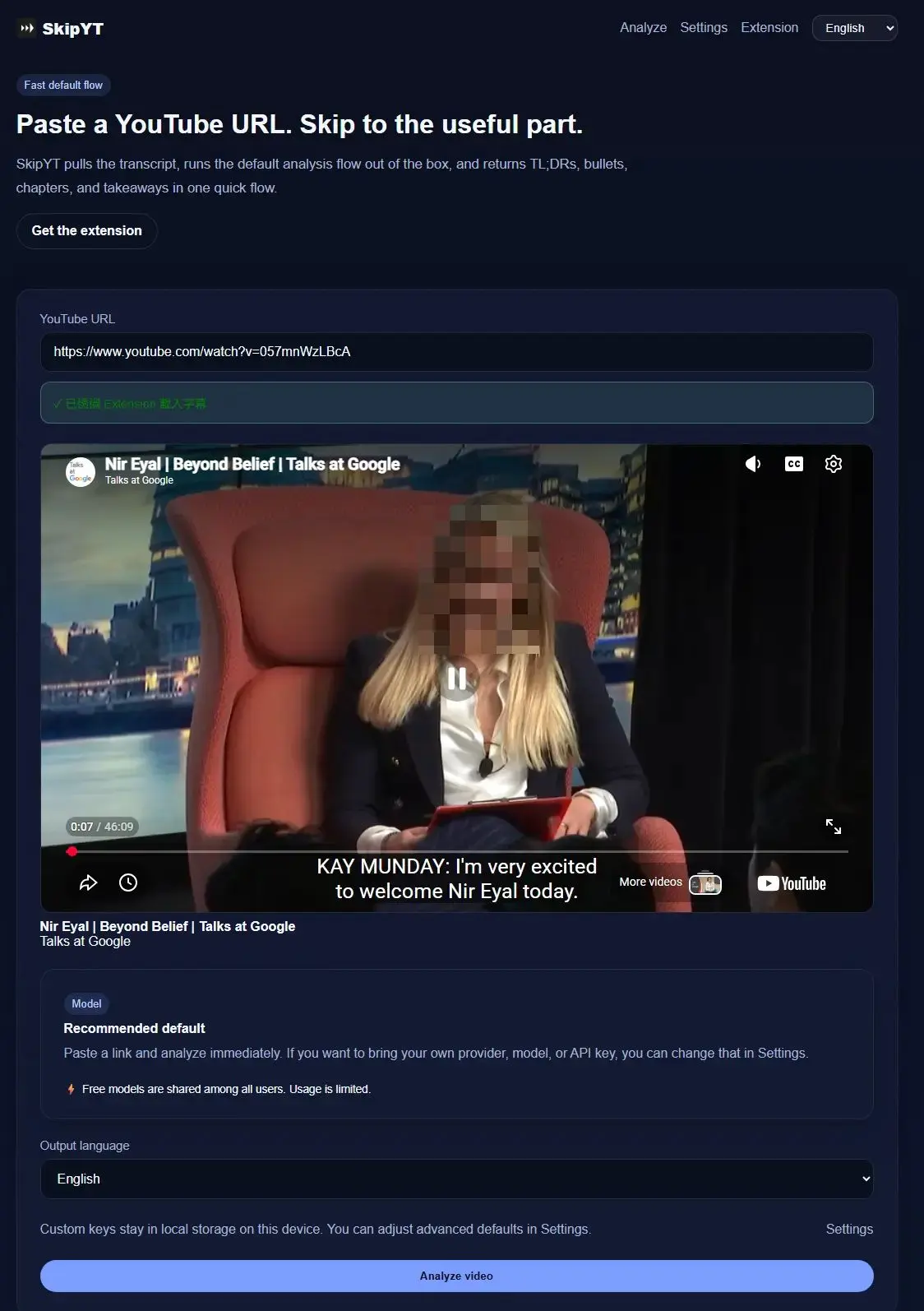
2. Paste a Link
Go back to the homepage and paste any YouTube link.
3. Start Analyzing
Click “Analyze Video” to generate the result.
Using the free model takes about 1 to 2 minutes, depending on the video length. The free model also shares a daily quota across all users, so usage is limited.
If you bring your own API key, the process is faster, more stable, and not limited by the shared daily quota.
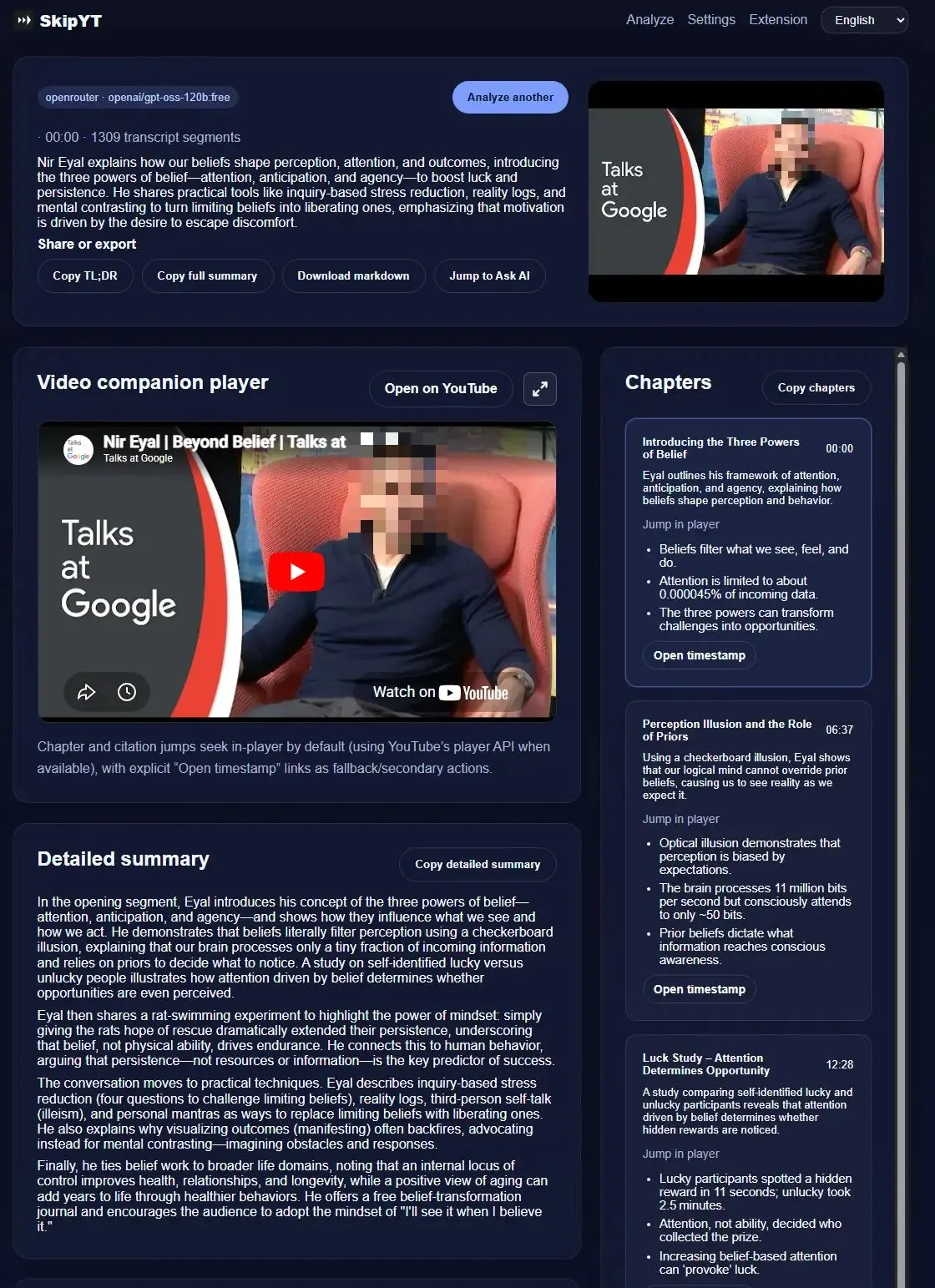
If you want to dig deeper after reading the summary, you can use Ask AI about this video for follow-up analysis:
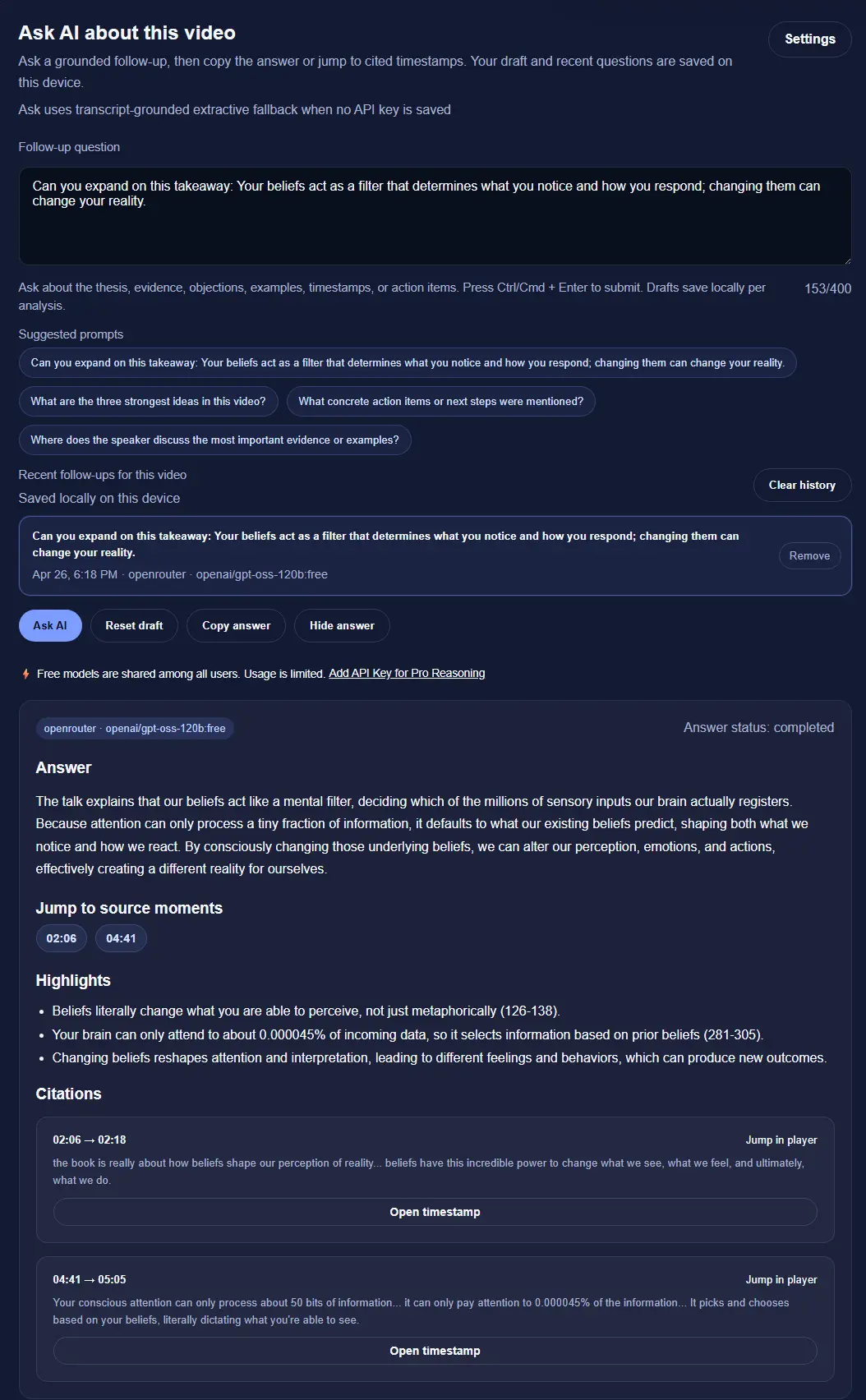
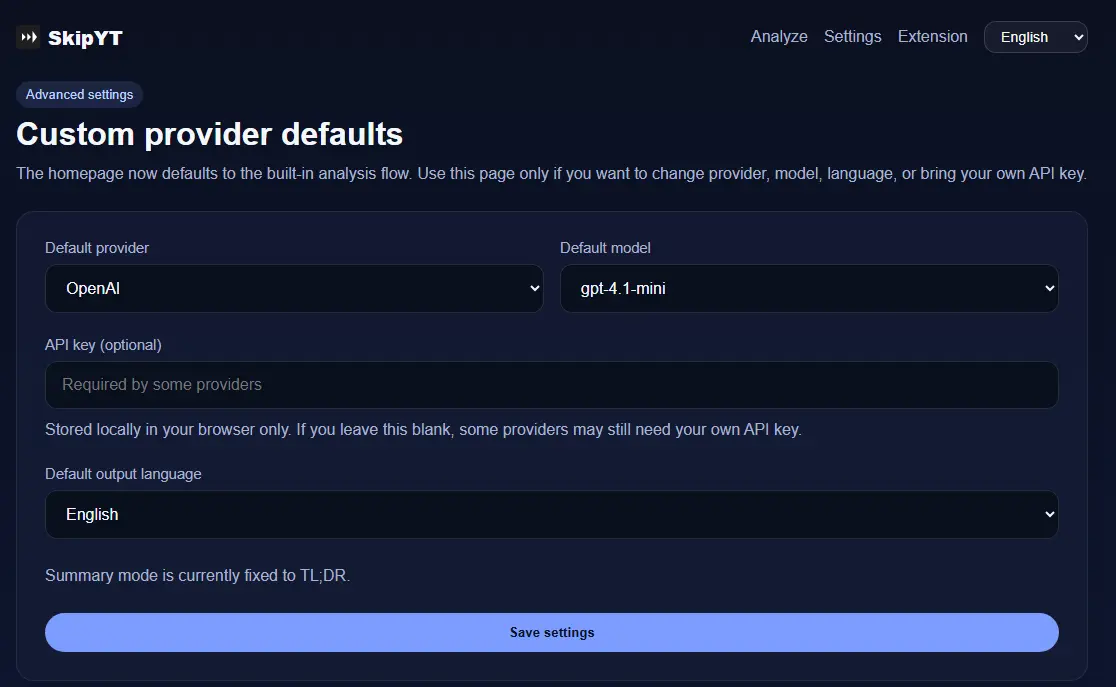
(Optional) Set Up Your Own AI API Key
Open skipyt.com and paste your key in the Settings area at the top right:
- Gemini: apply at aistudio.google.com/apikey. A Google account is enough, and the free tier is usually more than sufficient for everyday use.
- OpenAI: apply at platform.openai.com/api-keys
FAQ
Why do I need a browser extension?
YouTube has a fairly complete anti-scraping system. Pulling transcripts directly from the server is unstable and difficult to maintain over time. A browser extension can fetch the transcript while you are already signed in, which is the cleanest technical approach, the most reliable in practice, and the least likely to get blocked.
The paid version in development will remove this dependency, so you will be able to use it without the extension.
Do I need to open the extension every time after installation?
No. Install it once and it will run quietly in the background. When you paste a link into SkipYT, it automatically fetches the subtitles for you. Chrome and Edge are both supported.
Why does the first load take a few seconds?
Some videos take a moment before subtitles become available. The extension waits in the background, fetches the transcript, and then starts the AI analysis.
What happens to my API key?
BYOK does not require a separate SkipYT account, so the key is stored locally in your browser (Local Storage). All inference goes through your own Google, OpenAI, Anthropic, or OpenRouter quota, and you can replace the key in the model console at any time. You stay in control the entire time.
Try It
If you:
- Watch a lot of podcasts, interviews, or conference talks every week and need to quickly decide what is worth your time
- Often turn video content into notes, social posts, meeting summaries, or SOPs
- Are a heavy YouTube user
Take any YouTube video you already planned to watch today and paste it in. This is the tool I use every day, and it saves me a lot of time. If it can save you 30 minutes too, that is already worth it.
Related Links
- SkipYT - the tool introduced in this article
- SkipYT Chrome Extension - Chrome Web Store install link
- skipyt.com/get-extension - extension installation guide
- Google AI Studio - apply for a Gemini API key
- OpenAI Platform - apply for an OpenAI API key