From 2K to 160K fio IOPS: How Queue Depth Unlocks GCP Hyperdisk Performance
Have you ever run into this situation? You provision a VM on GCP, attach a Hyperdisk Balanced volume, pay for 160,000 provisioned IOPS1, run a quick fio benchmark, and then see only about 2,000 IOPS.
The explanation is usually not what people expect: the problem is often not Hyperdisk itself, but the benchmark setup. More specifically, fio defaults, especially iodepth, are often far too conservative to fully exercise a network-attached block device.
This article breaks the problem down into three core ideas:
- Queue Depth and Little’s Law: why the number of in-flight I/O requests determines the IOPS you can reach
- fio tuning: which default settings distort the result, and what a correct benchmark command should look like
- Disk optimization for AI workloads: how storage requirements differ between training and inference, and how to choose the right Hyperdisk configuration on GKE
A Real-World Example
Suppose you run a VM such as a3-megagpu-8g, attach Hyperdisk Balanced, and provision the disk at its maximum 160,000 IOPS. In theory, a random-read fio benchmark should get you somewhere close to 160k.
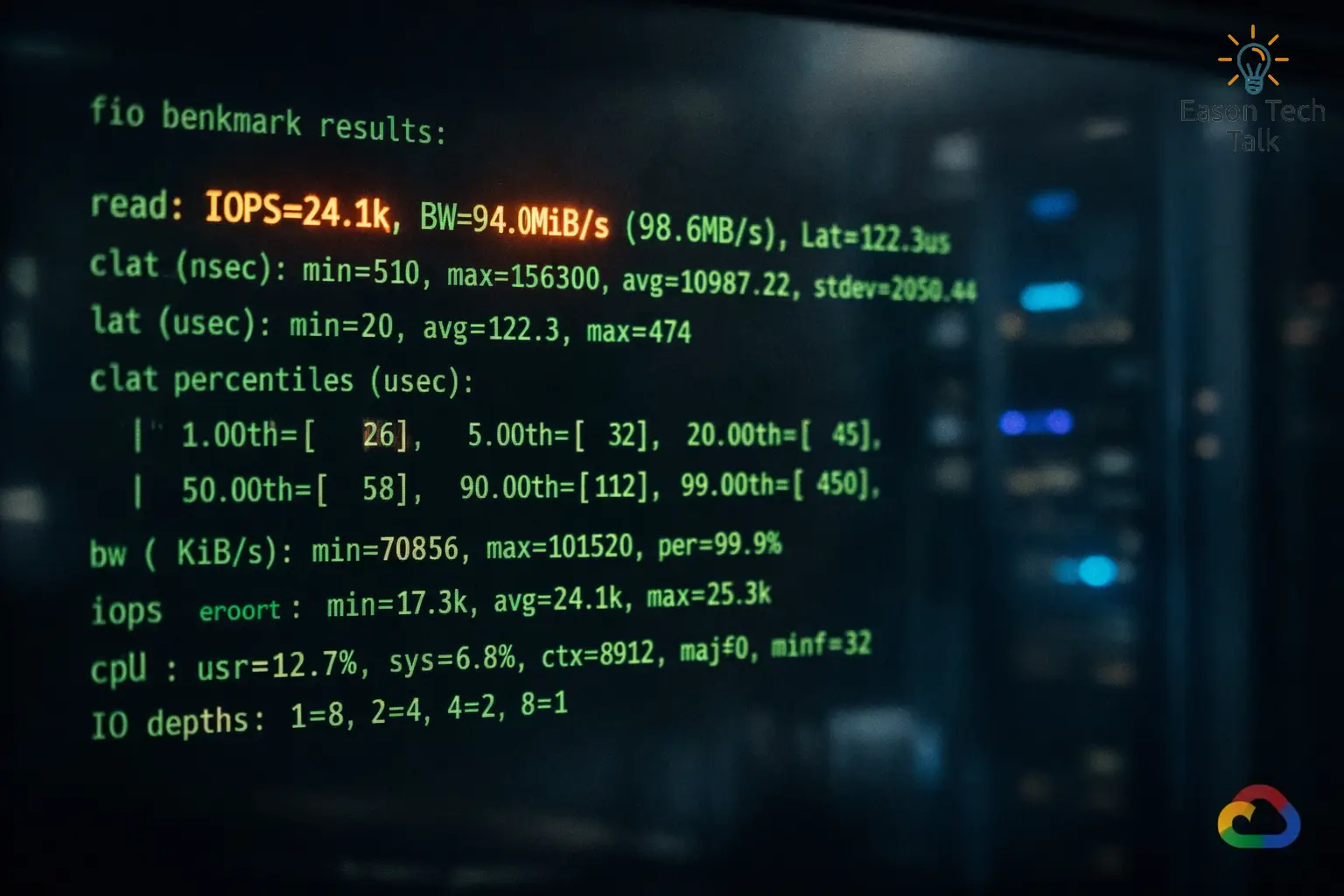
But in practice, the result might look more like 24k read IOPS, which makes it feel as if the IOPS you paid for somehow disappeared.
Example fio Command
Here is a common 4K random-read benchmark against the raw device:
fio --name=randread-iops-first-try \
  --filename=/dev/nvme0n1 \
  --ioengine=libaio \
  --direct=1 \
  --rw=randread \
  --bs=4k \
  --iodepth=32 \
  --numjobs=1 \
  --runtime=30 \
  --time_based \
  --group_reporting
Actual Output: About 24k Read IOPS
randread-iops-first-try: (g=0): rw=randread, bs=(R) 4096B-4096B, (W) 4096B-4096B, (T) 4096B-4096B, ioengine=libaio, iodepth=32
fio-3.35
Starting 1 process
Jobs: 1 (f=1): [r(1)][100.0%][r=96.0MiB/s][r=24.6k IOPS][eta 00m:00s]

randread-iops-first-try: (groupid=0, jobs=1): err= 0: pid=12345: Sun Mar 29 15:54:16 2026
  read: IOPS=24.1k, BW=94.1MiB/s (98.7MB/s)(2823MiB/30001msec)
    slat (nsec): min=1200, max=29000, avg=4100.32, stdev=900.11
    clat (usec): min=850, max=4200, avg=1310.45, stdev=210.37
     lat (usec): min=860, max=4210, avg=1314.62, stdev=211.02
    clat percentiles (usec):
     |  1.00th=[  980],  5.00th=[ 1057], 10.00th=[ 1123], 50.00th=[ 1303],
     | 90.00th=[ 1565], 95.00th=[ 1696], 99.00th=[ 2057], 99.90th=[ 2933]
  cpu          : usr=1.10%, sys=6.80%, ctx=18012, majf=0, minf=15
  IO depths    : 1=0.1%, 2=0.1%, 4=0.2%, 8=0.3%, 16=0.6%, 32=98.7%, >=64=0.0%
  submit       : 0=0.0%, 4=100.0%, 8=0.0%, 16=0.0%, 32=0.0%, 64=0.0%, >=64=0.0%
  complete     : 0=0.0%, 4=100.0%, 8=0.0%, 16=0.0%, 32=0.0%, 64=0.0%, >=64=0.0%
  issued rwts: total=722944,0,0,0 short=0,0,0,0 dropped=0,0,0,0
  latency   : target=0, window=0, percentile=100.00%, depth=32

Run status group 0 (all jobs):
   READ: bw=94.1MiB/s (98.7MB/s), 94.1MiB/s-94.1MiB/s (98.7MB/s-98.7MB/s), io=2823MiB (2960MB), run=30001-30001msec

Disk stats (read/write):
  nvme0n1: ios=722944/0, merge=0/0, ticks=913000/0, in_queue=913000, util=99.20%
The most important takeaway from this output is simple: even though the disk is provisioned for 160k IOPS, the test only reaches about 24k read IOPS with iodepth=32 and numjobs=1. The rest of this article explains why that result is actually expected.
Hyperdisk Fundamentals
Hyperdisk vs. Persistent Disk
GCP block storage has gone through several generations. Traditional Persistent Disk (PD) ties performance to disk size. If you want more IOPS, you often need a larger disk, even if you do not need the capacity. That is both wasteful and inflexible in many real workloads.
Hyperdisk is Google Cloud’s newer block storage family, and it keeps data persistent independently of the VM lifecycle2. The most important differences are:
- IOPS, throughput, and capacity can be provisioned independently: you can create a 100 GiB volume and still buy 160k IOPS
- Performance is no longer tightly coupled to capacity: this gives you better cost control
- Storage Pools are supported: at scale, multiple disks can draw from shared pooled resources
Hyperdisk Type Comparison
| Type | Max IOPS | Max Throughput | Latency | Typical Workloads |
|---|---|---|---|---|
| Hyperdisk Balanced | 160,000 | 2,400 MiB/s | < 1ms | General-purpose workloads, web apps, mid-size databases |
| Hyperdisk Extreme | 350,000 | 5,000 MiB/s | < 1ms | High-performance databases, OLTP, latency-sensitive workloads |
| Hyperdisk ML | Up to 19,200,000 | Up to 1,200,000 MiB/s | < 1ms | AI inference, model loading, large-scale read-only fan-out |
| Hyperdisk Throughput | Up to 9,600 | Up to 2,400 MiB/s | Higher | Analytics and large cold-data workloads |
Note: These numbers are per-volume limits, and Google Cloud uses MiB/s as the standard unit1. For Hyperdisk Extreme, throughput is derived from IOPS at a ratio of 250 MiB/s per 1,000 IOPS, so you cannot provision throughput independently. For Hyperdisk ML and Hyperdisk Throughput, IOPS is likewise derived from throughput. Hyperdisk ML is specifically designed for large-scale read-only sharing across VMs, while the maximum throughput a single VM can consume still depends on the machine type. For example, a3-megagpu-8g tops out at 4,800 MiB/s3.
Why Latency Matters on Network-Attached Storage
This is the key idea: Hyperdisk is not a local SSD attached directly to the motherboard. It is a network-attached disk4. Every read and write involves a network round trip, and average latency is typically in the 1 to 2 millisecond range.
That may still sound fast, but it directly determines how many in-flight I/O requests you need in order to consume the IOPS you provisioned. Hyperdisk performance is not something you automatically “get for free” the moment you attach the disk. You have to generate enough concurrent I/O to actually use it.
Why fio Defaults Miss Provisioned IOPS
Queue Depth and Little’s Law
To understand the problem, it helps to start with Little’s Law, a classic formula from queueing theory. A simple analogy is a busy restaurant kitchen: if each dish takes 2 minutes to finish and you want to serve 100 dishes per minute, you need 200 dishes in flight at the same time. For disk I/O, the same idea becomes:
\[Throughput = \frac{Queue\ Depth}{Latency}\]Or equivalently:
\[Required\ Queue\ Depth = Desired\ IOPS \times Latency\]If average Hyperdisk I/O latency is 2 ms (0.002 seconds) and you want to reach 160,000 IOPS, then:
\[Required\ QD = 160{,}000 \times 0.002 = 320\]That means you need to maintain roughly 320 in-flight I/O requests in order to fully drive 160k IOPS.
The iodepth=1 Bottleneck
By default, fio uses iodepth=15, which means it submits a single I/O request and waits for completion before sending the next one. If each request takes 2 ms, then:
Even if you raise the queue depth to iodepth=32, a 2 ms latency still limits you to only about 16,000 IOPS in theory. In the earlier example, measured latency was around 1.3 ms, so 32 / 0.0013 ≈ 24k, which matches the observed result surprisingly well. That is why the benchmark looks so far below expectations: the queue is too shallow, so the disk spends time waiting for more work.
GCP’s Queue Depth Guidelines
The table below is adapted from Google Cloud guidance for optimizing Hyperdisk performance4:
| Target IOPS | Recommended Queue Depth | Notes |
|---|---|---|
| 500 | 1 | Default is sufficient |
| 16,000 | 32 | Typical PD-level performance |
| 64,000 | 128 | Mid-range Hyperdisk |
| 160,000 | 320 | Hyperdisk Balanced maximum |
| 350,000 | 640+ | Hyperdisk Extreme |
Other Important fio Parameters
I/O size
- Use
bs=4kwhen measuring IOPS, because small operations maximize request count - Use
bs=1Mwhen measuring throughput, because large operations maximize transferred bytes - If the block size is too large, you may hit the throughput ceiling before you hit the IOPS ceiling
direct=1
- Set
direct=1so reads and writes bypass the operating system page cache6 - Otherwise you may end up benchmarking memory instead of the actual disk
- Google Cloud’s benchmarking guidance explicitly uses direct I/O for this reason
ioengine=libaio
libaiois Linux native asynchronous I/O, and it is a good default for cloud block storage benchmarks because it can keep many requests in flight5- fio’s default
psyncengine is synchronous, so even if you configure a largeiodepth, it may still fail to drive the disk hard enough5 io_uringis a newer asynchronous option with similar performance characteristics, but you need appropriate kernel support
Example fio Commands for Better Hyperdisk Benchmarks
Important: benchmark the raw device (for example, /dev/sdb) rather than a mounted filesystem whenever possible6. If you must test through a filesystem, use a large test file such as --filename=/mnt/test/fio-test --size=100G and make sure filesystem overhead, such as journaling, is not distorting the result.
Random-Read IOPS Test
iodepth=256 × numjobs=4 gives you an effective queue depth of 1024, which is enough to drive 160k+ IOPS. In Google’s Hyperdisk benchmark documentation, random-read examples explicitly use iodepth=256 together with multiple jobs7.
fio --name=rand-read-iops \
    --filename=/dev/sdb \
    --ioengine=libaio \
    --direct=1 \
    --rw=randread \
    --bs=4k \
    --iodepth=256 \
    --numjobs=4 \
    --runtime=60 \
    --time_based \
    --group_reporting
Sequential-Read Throughput Test
The goal here is to maximize MiB/s, so block size increases to 1M, and multiple jobs are used to saturate the VM’s storage and network path. IOPS may not look impressive in this test, but bandwidth should increase substantially.
Typical tuning directions:
- If bandwidth is low but latency remains low, raise
numjobsto 8 or 16 - If bandwidth is low and system CPU is high, investigate I/O engine overhead or filesystem overhead;
io_uringmay help if supported - If bandwidth flattens at a fixed ceiling, the bottleneck is often the VM’s disk-throughput limit rather than queue depth
Example:
fio --name=seq-read-throughput \
    --filename=/dev/sdb \
    --ioengine=libaio \
    --direct=1 \
    --rw=read \
    --bs=1M \
    --iodepth=64 \
    --numjobs=4 \
    --runtime=60 \
    --time_based \
    --group_reporting
Mixed Read/Write Test
Many real workloads are neither pure read nor pure write. Databases, feature stores, training jobs that read data while writing checkpoints, and inference services that load weights while updating caches all produce mixed I/O.
The important tuning ideas are:
- Define a read/write ratio, such as 70% read and 30% write
- Preserve enough concurrency, or latency will dominate again
- Pay attention to latency distribution, because writes often increase end-to-end latency and reduce effective read IOPS
Safety note: the example below uses rw=randrw directly against /dev/sdb, which performs real writes to the block device. If you run it against a production disk, it can overwrite existing data. Use this command only on a dedicated test disk. If you need to benchmark an existing filesystem, use a test file path instead of a raw device.
Example 70/30 4K random mixed workload:
fio --name=mixed-rw \
    --filename=/dev/sdb \
    --ioengine=libaio \
    --direct=1 \
    --rw=randrw \
    --rwmixread=70 \
    --bs=4k \
    --iodepth=128 \
    --numjobs=4 \
    --runtime=60 \
    --time_based \
    --group_reporting
Optimizing Disk Performance for AI Workloads
AI Training
AI training usually has two major storage patterns:
| Training Activity | I/O Pattern | Recommended Hyperdisk | fio Approximation |
|---|---|---|---|
| Checkpoint writes | Large, mostly sequential writes where throughput matters most | Balanced or Extreme with enough provisioned throughput | bs=1M and higher iodepth to saturate write bandwidth |
| Training data loading | Mostly random reads where IOPS matters most | Balanced or Extreme depending on target IOPS and budget | Increase DataLoader workers and avoid synchronous I/O bottlenecks |
AI Inference
Model weight loading
- Inference services often need to load entire model weights into memory at startup, from several GiB to hundreds of GiB
- Hyperdisk ML is designed for this case: multiple VMs can attach the same disk in read-only mode, rather than storing a full copy per node8
- That makes it a good fit for horizontally scaled inference services that share a single model image across many nodes
- On GKE, the CSI driver supports
ReadOnlyManyfor this access pattern8
Choosing the Right Hyperdisk Type
| Scenario | Hyperdisk Type | Reason |
|---|---|---|
| General training data storage | Balanced | Good balance between IOPS, throughput, and cost |
| Heavy checkpointing plus large data ingestion | Extreme | Better fit when you need more than 160k IOPS or more than 2.4 GiB/s |
| Inference model deployment | ML | Read-only sharing across many machines |
| Large-scale cold-data storage | Throughput | High capacity, strong bandwidth, lower cost |
Application-Level Optimization
- Prefetching: load the next batch before the GPU becomes idle
- Asynchronous I/O: use
libaioorio_uringso multiple reads can proceed concurrently - Multiple workers: PyTorch
DataLoader(num_workers=N)or paralleltf.datapipelines naturally increase queue depth - Memory-mapped files (
mmap): useful for large datasets, though heavily random access can still trigger expensive page faults
Troubleshooting and Observability
Monitor with iostat
iostat -xdmt /dev/sdb 1
Fields worth watching:
r/s/w/s: actual completed reads and writes per second, effectively your observed IOPSawait: average I/O latency in millisecondsaqu-sz: average queue depth; if it is much lower than your configurediodepth, fio is not actually keeping that many requests in flight%util: device utilization; for network-attached storage, treat this number carefully because it can be misleading
If aqu-sz stays far below the configured iodepth, a common explanation is that the I/O engine is not really asynchronous, so fio is not maintaining the concurrency you expected.
A Practical Bottleneck Checklist
- Disk layer: IOPS is far below the provisioned target, but latency looks normal. This often means queue depth is too low and the disk is waiting for work.
- VM bandwidth ceiling: every machine type has its own disk-throughput limit, so buying more disk IOPS does not help if the VM itself cannot consume it3.
- Application layer: disk metrics look healthy, but the application still feels slow. In that case, look for synchronous I/O, single-threaded readers, tiny buffers, or similar issues in the application itself.
Conclusion
One of the clearest lessons here is that cloud disk performance is rarely something you fully unlock by default. In practice, you often need to generate enough concurrent I/O from the application side before the provisioned performance becomes visible.
Little’s Law captures that intuition well: required queue depth = target IOPS × average latency. It explains why fio with iodepth=1 can produce a result that looks wildly lower than the performance tier you purchased. The disk is not necessarily underperforming. You may simply not be issuing enough concurrent requests4.
The same principle applies directly to AI workloads. Training needs checkpoint writes and random dataset reads. Inference needs fast model loading and, in some cases, shared read-only storage across many nodes. Each workload stresses IOPS and throughput differently, and if you choose the wrong Hyperdisk type or benchmark it with the wrong settings, the bottleneck will show up quickly in both storage metrics and end-to-end job performance.
This article used a real fio benchmarking scenario on GCP to explain the mechanism behind the result, and then extended that discussion into the underlying mechanics and practical optimization ideas for AI workloads.
References