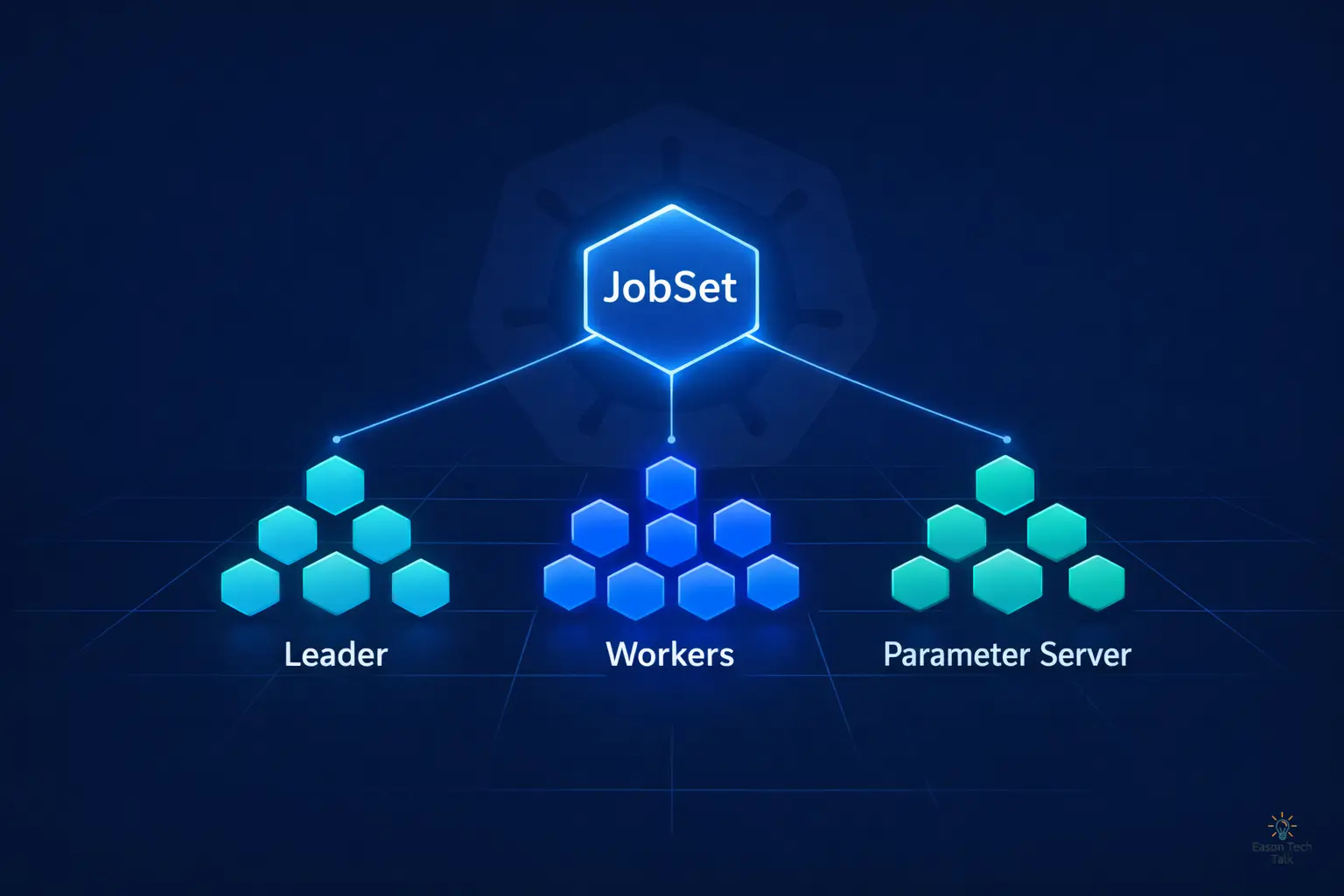
JobSet: Make Kubernetes Truly Orchestrate Multi-Job Workloads
JobSet in one sentence: If a Kubernetes Job is a single soldier, JobSet is the full coordinated unit: one API object that manages the lifecycle, networking, and fault recovery of multiple Jobs together.
Why Use JobSet? Don’t We Already Have the Kubernetes Job API?
The native Kubernetes Job was designed with this assumption: one Job = one independent batch task. But real distributed workloads are much more complex.
For large model training, for example, you may need all of these roles at the same time:
- Parameter Server: stores and synchronizes model weights
- Worker Node: processes training data in parallel
- Coordinator: controls training flow and checkpoints
If you create them as separate native Jobs, you must handle all of this manually:
- Startup order and dependencies across multiple Jobs
- Cross-Job Pod network discovery
- Global restart logic when any one Job fails
This is like trying to orchestrate a symphony with three independent crontab files. It can work, but the operational cost is very high.
JobSet moves this coordination logic into a single CRD, so you describe what you want, not how to glue everything together.
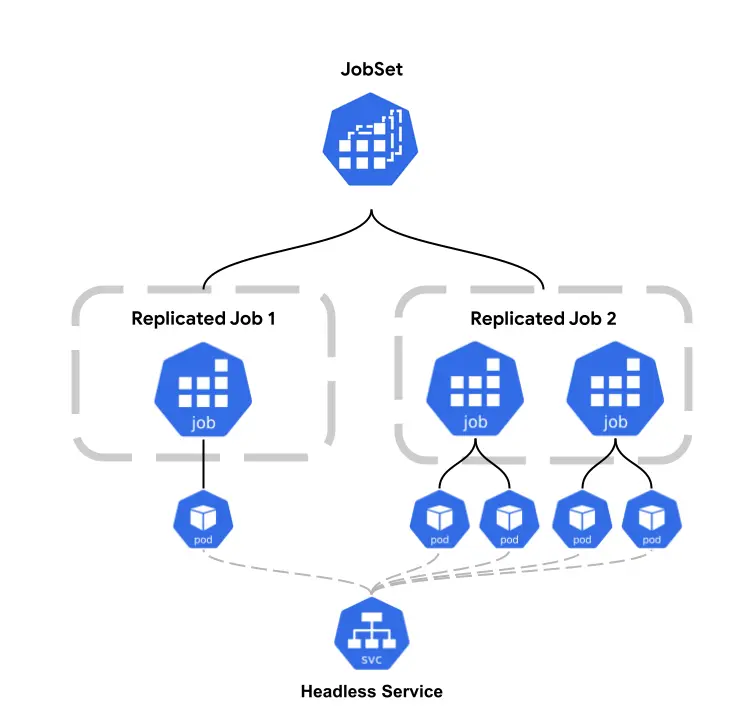 (Image source: JobSet Conceptual Diagram)
Core Capabilities at a Glance
| Capability | What It Does | Why It Matters |
|---|---|---|
| ReplicatedJob grouping | Defines multiple Job groups in one JobSet, each with its own Pod template and replica count | A single YAML can define multiple related tasks instead of managing separate Job objects |
| Coordinated lifecycle | Jobs start as one coordinated workload, and JobSet tracks overall success/failure | Avoids “half-ready” states, such as workers finishing while parameter servers never come up |
| Automatic Headless Service creation | Creates a headless Service per ReplicatedJob so Pods can discover each other via predictable DNS | Works directly with frameworks like PyTorch torchrun and TensorFlow MultiWorkerMirroredStrategy |
| Flexible failure policy | Supports FailJobSet action (global fail/restart when a target Job fails) or selective failure tolerance | Lets you choose between strict training consistency and fault-tolerant elasticity |
Typical Use Cases
🧠 Distributed ML Training (Most Common)
Large-scale model training, whether Parameter Server or data-parallel architecture, requires multiple Pod roles to run and communicate at the same time. JobSet is naturally suited for this multi-role topology. With Kueue, you can further enable queueing and fair scheduling for GPU/TPU resources.
🔬 HPC and Scientific Computing
MPI applications require all ranks to start together on predictable network endpoints. JobSet’s headless Service plus coordinated startup directly addresses this requirement.
🔄 Multi-Stage Data Processing
In ETL pipelines, different worker groups for Extract, Transform, and Load can be packaged into one JobSet and managed under a shared lifecycle.
Practical Example: Large-Scale Log Analytics
Let’s use a concrete example to understand why a leader-worker architecture is needed. Consider Apache Spark distributed processing for TB-scale website access logs generated daily, with real-time anomaly detection and statistical analysis. This workload naturally fits a leader-worker model.
Why do we need a Leader (Driver)?
- Task assignment and coordination: the Driver splits a large dataset into chunks and assigns them to Workers
- State tracking: monitors which chunks are done and which failed and must be retried
- Result aggregation: collects Worker outputs and performs final aggregation (for example, 95th percentile response time)
- Resource management: adjusts Worker scale dynamically and handles backpressure
Why do we need multiple Workers?
- Parallel processing: 100 Workers process different data shards concurrently, reducing total processing time
- Resource isolation: each Worker handles its own subset to reduce memory contention
- Fault tolerance: one Worker failure does not stop the rest, and the Leader can reassign failed work
Architecture Sketch
┌─────────────────────────────────────────┐
│  Leader (Spark Driver)                  │
│  - Reads job config                      │
│  - Splits data into 1000 shards          │
│  - Assigns work to workers               │
│  - Tracks progress: 652/1000 complete    │
└──────────────┬──────────────────────────┘
               │
    ┌──────────┼──────────┬──────────┐
    │          │          │          │
┌───▼───┐  ┌──▼────┐  ┌──▼────┐  ┌──▼────┐
│Worker1│  │Worker2│  │Worker3│  │Worker4│
│Process │  │Process │  │Process │  │Process │
│shards  │  │shards  │  │shards  │  │shards  │
│1-25    │  │26-50   │  │51-75   │  │76-100  │
└───────┘  └───────┘  └───────┘  └───────┘
Real-World Challenges
- Network dependency: Workers need the Leader address to report progress (
LEADER_HOSTenv var) - Startup ordering: Leader must be ready before Workers can start
- Failure handling: if the Leader dies, the whole job must restart; if a Worker dies, Leader can reassign that slice
- Resource contention: in Kubernetes, how do you ensure Leader and Worker Pods get enough resources together?
This is where JobSet adds value:
Native Jobs cannot express a topology like “Leader must start first, and Workers must reach it via stable DNS” cleanly. You end up writing init containers, readiness probes, and Services by hand, all repetitive and error-prone.
With replicatedJobs plus automatic headless Services, JobSet lets you describe this architecture in roughly 20 lines of YAML, not 200 lines of manual plumbing.
Other Common Leader-Worker Patterns
- ML training: Parameter Server (Leader) stores model parameters; Workers compute gradients and send updates
- Web crawling systems: Coordinator (Leader) manages the URL queue; Workers fetch and parse pages
- Video transcoding: Orchestrator (Leader) splits video segments; Workers encode segments in parallel
- Genomics analysis: Master (Leader) coordinates sequence alignment tasks; Workers run compute-heavy alignment algorithms
Leader-Worker in Kubernetes
With native Jobs, you have to manually manage Services, startup sequencing, and cleanup/restart logic on failures:
apiVersion: batch/v1
kind: Job
metadata:
  name: worker-job
spec:
  template:
    spec:
      containers:
      - name: worker
        image: bash:latest
        command: ["bash", "-xc", "sleep 1000"]
        env:
        - name: LEADER_HOST
          value: "leader-service"
      restartPolicy: Never
---
apiVersion: batch/v1
kind: Job
metadata:
  name: leader-job
spec:
  template:
    spec:
      containers:
      - name: leader
        image: bash:latest
        command: ["bash", "-xc", "echo 'Leader is running'; sleep 1000"]
      restartPolicy: Never
---
apiVersion: v1
kind: Service
metadata:
  name: leader-service
spec:
  selector:
    job-name: leader-job
  ports:
  - port: 8080
With JobSet, you can define Leader and Workers together and use failurePolicy for role-specific behavior (for example, fail the whole JobSet when the Leader fails):
apiVersion: jobset.x-k8s.io/v1alpha2
kind: JobSet
metadata:
  name: failjobset-action-example
spec:
  failurePolicy:
    maxRestarts: 3
    rules:
    # If the leader Job fails, fail the entire JobSet immediately
    - action: FailJobSet
      targetReplicatedJobs:
      - leader
  replicatedJobs:
  - name: leader
    replicas: 1
    template:
      spec:
        # Set to 0 so the Job fails immediately if any Pod fails
        backoffLimit: 0
        completions: 2
        parallelism: 2
        template:
          spec:
            containers:
            - name: leader
              image: bash:latest
              command:
              - bash
              - -xc
              - |
                echo "JOB_COMPLETION_INDEX=$JOB_COMPLETION_INDEX"
                if [[ "$JOB_COMPLETION_INDEX" == "0" ]]; then
                  for i in $(seq 10 -1 1)
                  do
                    echo "Sleeping in $i"
                    sleep 1
                  done
                  exit 1
                fi
                for i in $(seq 1 1000)
                do
                  echo "$i"
                  sleep 1
                done
  - name: workers
    replicas: 1
    template:
      spec:
        backoffLimit: 0
        completions: 2
        parallelism: 2
        template:
          spec:
            containers:
            - name: worker
              image: bash:latest
              command:
              - bash
              - -xc
              - |
                sleep 1000
🔍DNS discovery example: A Worker Pod can connect directly to the Leader using leader-0.failjobset-action-example.default.svc.cluster.local, without defining an extra Service.
Side-by-Side: Native Job vs JobSet
| Dimension / Workflow Step | Native Job | JobSet |
|---|---|---|
| 1. Role topology definition | Single role only; separate YAML for Leader and Workers, managed manually | Multi-role support; define multiple role groups and replicas in one manifest |
| 2. Network service and discovery | ❌ Manual Service and DNS setup, env var injection required | ✅ Automatic Headless Service with stable DNS-based connectivity |
| 3. Startup coordination | Requires init container/readiness logic to enforce Leader-first startup | ✅ Built-in coordinated startup for multi-role dependencies |
| 4. Failure handling strategy | ❌ Jobs fail independently; custom scripts required to detect and restart related Jobs | ✅ Global/targeted FailurePolicy; supports leader-triggered global fail behavior |
| 5. Observability and cleanup | Must inspect multiple Job objects; cleanup of Job/Service resources is manual | ✅ Single-object management with unified visibility and lifecycle cleanup |
| 6. Dev and maintenance cost | High (multiple YAML files and glue scripts to maintain) | Low (declarative YAML model) |
| 7. Ecosystem support | Kubernetes core API | Official SIG Scheduling subproject, integrates with Kueue for advanced scheduling |
Getting Started with JobSet
0. Prerequisites
- A running Kubernetes cluster on one of the latest three minor versions.
- Resource requirement: at least one cluster node with 2+ CPU and 512+ MB memory for the JobSet Controller Manager (in some cloud environments, default node types may be undersized).
kubectlconfigured for your cluster, orhelmif preferred.
1. Install JobSet CRDs and Controller
You can install with either kubectl or Helm. In production, pinning a fixed version (for example v0.10.1) is recommended for stability.
Method A: kubectl
VERSION=v0.10.1
kubectl apply --server-side -f https://github.com/kubernetes-sigs/jobset/releases/download/$VERSION/manifests.yaml
Method B: Helm
VERSION=v0.10.1
helm install jobset oci://registry.k8s.io/jobset/charts/jobset \
  --version $VERSION \
  --create-namespace \
  --namespace=jobset-system
2. Write a JobSet Manifest
Define your ReplicatedJob groups, replica counts, and Pod templates based on your workload (for example, the leader-worker architecture shown above).
Here is a simple jobset.yaml template:
apiVersion: jobset.x-k8s.io/v1alpha2
kind: JobSet
metadata:
  name: coordinator-example
spec:
  # label and annotate jobs and pods with stable network endpoint of the designated
  # coordinator pod:
  # jobset.sigs.k8s.io/coordinator=coordinator-example-driver-0-0.coordinator-example
  coordinator:
    replicatedJob: driver
    jobIndex: 0
    podIndex: 0
  replicatedJobs:
  - name: workers
    template:
      spec:
        parallelism: 4
        completions: 4
        backoffLimit: 0
        template:
          spec:
            containers:
            - name: sleep
              image: busybox
              command:
                - sleep
              args:
                - 100s
  - name: driver
    template:
      spec:
        parallelism: 1
        completions: 1
        backoffLimit: 0
        template:
          spec:
            containers:
            - name: sleep
              image: busybox
              command:
                - sleep
              args:
                - 100s
3. Deploy to the Cluster
kubectl apply -f jobset.yaml
4. Monitor and Troubleshoot
After deployment, use these commands to track progress:
- Check overall JobSet status:
kubectl get jobsets - Inspect one JobSet in detail:
kubectl describe jobset <name> - List underlying Jobs created by JobSet:
kubectl get jobs -l jobset.sigs.k8s.io/jobset-name=<name>
Summary
JobSet marks a mature step for Kubernetes from stateless microservice orchestration toward complex distributed topologies. It does not replace native Jobs. Instead, it fills the exact gap for multi-node, multi-role coordination (such as leader-worker and parameter-server patterns).
By introducing this declarative coordination layer, teams can stop writing brittle scripts for startup sequencing, DNS discovery, and failure retries. Especially when combined with Kueue for advanced scheduling of expensive GPU/TPU resources, JobSet lets you focus on describing desired state instead of stitching control logic by hand.
If you are building next-generation AI training platforms or large-scale data pipelines on Kubernetes, JobSet is a core building block you should not skip.